


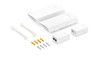
Frequently bought together:
Product
Quantity
Price
(Ex GST)
Subtotal
(Ex GST)
Description
TP-Link Omada 5GHz 867Mbps Long-Range Indoor/Outdoor Wireless Bridge
Key Features:
- Up to 5 km Transmission Distance*
- Equipped with Omada SmartBridging: Our unique design for the most effortless and easy bridge setup ever.
- Plug-and-Play with Preconfigured Kit: Preconfigured for instant auto-pairing, the bridges deliver instant connectivity right out of the box.
- Unique Design for Multi-Bridge Auto-Pairing: Effortlessly connect multiple bridges with PtMP Auto-Pairing. Simply dial the role switch and press the pair button-no portal login needed. Supports up to 1-to-4 multi-bridge connections.
- App-Guided Alignment: Visualised App-Guided Alignment for Long-Distance Setups and Instant Speed Testing for Installation Verification.
- Flexible Power Supply: 802.3af PoE (1,2pins; 3,6pins), 24V Passive PoE (+4,5pins; -7,8pins), and 12V DC (compatible with TP-Link solar power supply system)
- 3× Gigabit Ethernet Ports: Connects more cameras and devices without an extra switch△
- Built for Tough Outdoor Conditions: IP65 weatherproof enclosure and operating range of -40 °C to +70 °C.**
- Remote Monitoring & Management: Standalone mode or Omada SDN mode for remote centralised management via Web UI or App†

Build Feature

SUPPORT
 |
Omada APP TP-Link Omada lets you configure settings, monitor network status and manage clients, all from the convenience of a smart phone or tablet. Learn more about Compatible Devices. |
 |
  |
Note: SDN switch/router is compatible with Omada App only in controller mode. To use Omada, please update your device's firmware to the latest version.
Click here for more supportDetails
Product Information Sheet: |
|
Installation Guide: |
|
Omada Access Point User Guide: |
|
Type: |
Wireless Bridge
|
Videos
-

How to Set Up the Omada EAP Bridge KIT via Omada SDN Controller
This video will show you how to set up the EAP Bridge KIT via ...
-
How to: Install the Omada EAP Bridge KIT (EAP215 Bridge KIT for demonstration)
This video will show you how to install the EAP Bridge KIT, us...
-
How to: Set Up Omada EAP Bridge KIT (Standalone Mode)
This video will show you how to install the EAP Bridge KIT, us...
-
How to Mount the Passive PoE Adapter
This video will show you how to mount a Passive PoE Adapter, w...

Have You Tried These Products?
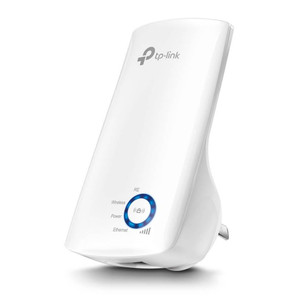
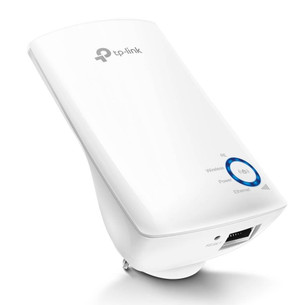
TP-Link 300Mbps Universal WiFi Range Extender
TP-Link
TP-Link TL-WA850RE 300Mbps Universal WiFi Range Extender
Features:
Range Extender mode boosts wireless signal to previously unreachable or hard-to-wire areas flawlessly
Miniature size and...
23TP-TL-WA850RE


TP-Link Omada 10-Port Gigabit Unmanaged Desktop Switch with 8-Port PoE+
TP-Link
Omada 10-Port Gigabit Unmanaged Desktop Switch with 8-Port PoE+
Features:
9× Gigabit RJ45 ports, and 1× Gigabit combo SFP/RJ45 Port
8× PoE+ ports transfer data and power via a single cable with a...
28DS110GMP

TP-Link 300 Mbps Wireless N 4G LTE Router
TP-Link
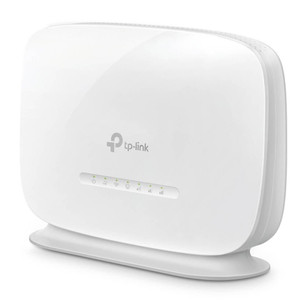
TP-Link 300 Mbps Wireless N 4G LTE Router
Features:
Cutting-edge 4G network – Share internet access with up to 32 Wi-Fi devices and enjoy download speeds of up to 150 Mbps
Plug a SIM card and play
28TL-MR105

TP-Link Omada 6-Port 10/100Mbps Unmanaged Desktop Switch with 4-Port PoE+
TP-Link
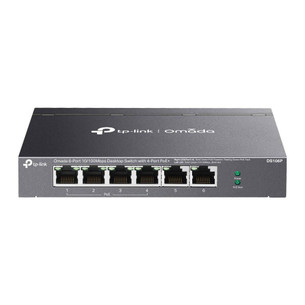
TP-Link Omada 6-Port 10/100Mbps Unmanaged Desktop Switch with 4-Port PoE+
Features:
6× 10/100 Mbps RJ45 ports
4× PoE+ ports transfer data and power on individual cables
Works with IEEE 802.3af/at...
28DS106P


TP-Link AC1350 Wireless MU-MIMO Gigabit Ceiling Mount Access Point
TP-Link
TP-Link AC1350 Wireless MU-MIMO Gigabit Ceiling Mount Access Point - Version 2
Features:
Fast Dual-Band Wi-Fi: Simultaneous 450 Mbps on 2.4 GHz and 867 Mbps on 5 GHz totals 1317 Mbps Wi-Fi speeds...
28EAP223